MCP servers: what they are and which ones to know
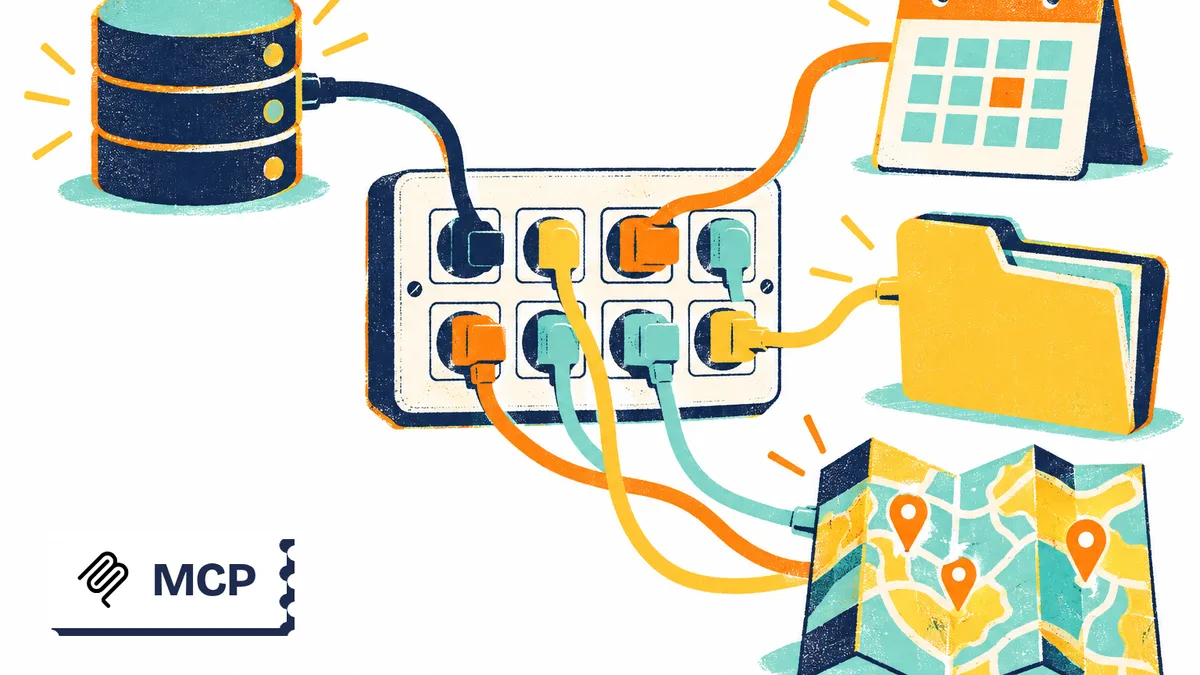
An MCP server is a program that gives an AI assistant access to tools and data through a standard interface. It can expose files, query a code repository, search documentation, or control a browser. To get started, choose a server for a specific task, then restrict its access before connecting it.
How an MCP server works
The MCP protocol, short for Model Context Protocol, defines how an AI application communicates with external programs. The host application contains an MCP client that communicates with the server. The server provides access to the functions or information it exposes.
The official architecture documentation distinguishes between executable tools, contextual resources, and reusable prompt templates. A server may offer some of these capabilities without supporting all of them.
Consider a hypothetical example: you ask an assistant to summarize a project’s open issues. The assistant uses a retrieval tool, receives the issues, and writes a summary. If it also has a function for making changes, it may suggest updating their status. That additional permission deserves a separate review.
The server provides capabilities; the application and model coordinate their use. MCP guarantees neither a relevant summary nor the correct choice of action. You should always be able to verify the result in the original system.
This separation helps when diagnosing errors. A refused connection often points to configuration or authentication; an inaccurate summary may stem from the model, the request, or the returned data. Reinstalling the server will not necessarily solve the second problem.
Local or remote servers: what changes
An MCP server can run on your computer or be hosted by a provider. Your choice depends on the data you need to reach, what your application supports, and how much maintenance you are prepared to handle.
| Criterion | Local server | Remote server |
|---|---|---|
| Execution | A program running on your machine | A service available over a network |
| Typical connection | Standard input and output, known as stdio | Network transport, including Streamable HTTP |
| Access to review | Files, processes, and network access on the machine | Connected accounts and transmitted data |
| Maintenance | Installation and updates you need to manage | A service maintained by its operator |
| Main concern | Permissions of the running program | The operator’s identity and the permissions granted |
Local does not mean private. Before installing a local server, check whether the program calls an external API. Also examine what the AI application sends to the model: the full path your data takes matters more than where a single component runs.
A remote connection can sometimes spare you the work of maintaining a program, but it also adds an operator to the process. Identify which data is sent, how access can be revoked, and which functions are actually available.
Start with the task you need to complete. Reading a working folder, consulting public documentation, and taking action in a business account require different access boundaries. The guide to choosing an MCP server covers this assessment in more detail.
MCP servers worth knowing
The following selection covers different needs. It is not a performance ranking: a documentation server and a browser server do different jobs.
The selection criteria are an identifiable official source, a clear function, and the ability to define a limited scope for a trial. The listings in the MCP server directory can help you explore further.
| Server | Main use | Connection to review | Limitation to anticipate |
|---|---|---|---|
| Context7 | Consult library documentation | Remote documentation service | Content coverage and version |
| GitHub MCP Server | Work with repositories and issues | Official remote or local server | Read and write permissions |
| Playwright MCP | Control a browser | Browser environment | Accessible sessions and actions |
| Firecrawl MCP Server | Search and extract web content | Hosted service or configured connection | Quotas, coverage, and collection volume |
| Filesystem | Work with files | Local program and approved directories | Write access and overly broad permissions |
| MCP Toolbox for Databases | Connect databases | Server connected to configured data sources | Queries and account privileges |
Before installing anything, also check whether your assistant already has the function you need. Adding a connection simply to duplicate existing access creates more configuration work without a clear benefit. A useful starting point is an observable task that you cannot complete satisfactorily with the functions already available.
Documentation and repositories: Context7 and GitHub
Context7 for finding the right references
According to its official repository, Context7 supplies coding agents with documentation and examples tied to libraries and their versions. The project offers an MCP mode, along with another approach using a command-line interface and skills.
A suitable use is to request a documentation reference before changing an integration. Specify the library and version used in your project, then check that the retrieved passages match that context.
The material still needs review. Finding documentation does not prove that generated code will work in your application. Check the prerequisites and run the checks appropriate to the change.
GitHub MCP Server for repositories and issues
The official GitHub server supports tasks including reading code and managing issues and pull requests. It offers both a remote service and local execution, with settings that restrict the functions exposed.
For an initial trial, limit access to reading a selected repository. One possible task is to identify the files relevant to an issue, with links that let you check the answer.
The server’s read-only mode removes tools that make changes. Pair it with credentials that are themselves restricted: hiding a tool and reducing an account’s permissions are complementary controls. Grant write access only when a task requires it.
Browsing and web search: Playwright and Firecrawl
Playwright MCP for interacting with a page
Playwright MCP exposes browser automation functions and relies in part on the browser’s accessibility representation. It suits tasks that involve navigating an interface and interacting with its elements.
For an initial trial, you could open a demo application and identify the fields in a form. Use a session separate from your everyday browsing, and avoid accounts with extensive permissions.
A successful click does not establish that a task is complete. Check the final state in the application: filling out a form, performing a search, and saving a transaction are different outcomes.
Firecrawl MCP Server for collecting content
The official Firecrawl server exposes functions including web search, extraction, and crawling. The available capabilities depend on the connection and permissions configured.
It can retrieve pages for analysis along with their original URLs. For ongoing monitoring, request a collection limited to identified sources and retain the links so that each piece of information can be checked.
Before collecting content at scale, review the service’s quotas and terms. Request only the material you need: gathering pages without selection criteria increases the amount of data to review. Successful extraction guarantees neither complete coverage nor up-to-date information on the source website.
Files and databases: setting access boundaries
Filesystem for a limited working folder
Filesystem provides file operations with controls over which directories are accessible. Its MCP reference repository explains that the included servers are examples for developers, rather than production-ready solutions that can be adopted without further evaluation.
To explore how it works, prepare a folder containing copies of documents with no sensitive data. Start by requesting an inventory, then a summary whose sources you can check.
Do not authorize your entire home directory for convenience. Define the folders needed and review the available operations, especially writing. If your assistant can already work with project files, check what this connection adds before enabling it.
MCP Toolbox for Databases for controlled queries
MCP Toolbox for Databases connects AI applications to databases and lets you define specialized tools. The project was previously called Gen AI Toolbox for Databases; its repository was also renamed from genai-toolbox to mcp-toolbox.
One possible use is to expose a specific business query with controlled parameters, rather than provide general access to every table.
For a trial, use a demo database and a restricted account. Check the query executed, the columns returned, and the volume of results. A restriction written in the assistant’s instructions does not replace permissions actually enforced by the database.
Preparing a first connection you can verify
Prerequisites include an application compatible with your chosen server, the necessary permissions on the source, and a test environment. For a local program, you also need the dependencies listed in its official documentation. Check that they are present before looking for a problem with MCP itself.
The exact procedure depends on the client. The Install an MCP server tutorial covers that part; the following preparation method applies more broadly.
- Define the expected result. For example, retrieve a known document or list the issues in a demo repository.
- Identify the official source. Check the repository owner, the distributed package, and the service address.
- Choose the minimum scope. Restrict folders, repositories, tables, and operations before connecting the account.
- Follow the client’s configuration instructions. Use the fields and transport specified for that application.
- Check both success and refusal. Verify that authorized access works, then confirm that a request outside the permitted scope fails.
Avoid copying a configuration from an old discussion. Package names, service addresses, and authentication methods can change; check them against the documentation when you install the server.
Keep a note of the server’s source, the permissions granted, and how to disable it. This record makes updates, a move to another computer, or removal of an unused connection easier to manage.
Actual costs and permissions to watch
Cost depends on several factors: the assistant subscription, model usage, the service being called, and any hosting. A program available without a license fee may still require a paid API. A successful connection therefore does not establish that using it is free.
To set a budget, measure a representative task: the calls made, the amount of content returned, the time taken, and any retries needed. Then compare those observations with the relevant providers’ terms. Avoid extrapolating from a demonstration that does not resemble your actual work.
Security also depends on how access permissions combine. An assistant that reads external content and can write elsewhere must treat that content as data. A prompt injection may attempt to turn a page or an issue into an instruction to take action.
The protocol’s security best practices, published in the draft documentation, describe risks involving authorization, tokens, and local execution, among other concerns. They do not constitute certification of individual servers.
In practice, keep test accounts separate, limit access to secrets, and require approval for sensitive actions. Also read Malicious MCP servers and skills: check before installing before adding an unfamiliar extension.
Common problems and final checks
The server does not appear. Check that the configuration is saved in the correct client and that the client supports your chosen transport. For a local program, review its startup log and required dependencies. Avoid changing several settings at once.
The connection works, but access is denied. Check the connected account, whether its credentials have expired, and the authorized scope. Successful authentication does not automatically grant access to every repository, folder, or database.
The assistant does not use the tool. Make a request that clearly requires the connected source, and check which tools the client exposes. Distinguish between a missing function and a poor tool choice by the model.
The result seems incomplete. Examine filters, response limits, and any pagination. Ask for verifiable references rather than a summary alone. For an action, check the change directly in the relevant application.
Before keeping the connection enabled:
- The server’s source and documentation have been identified.
- A useful task justifies its installation.
- Permissions match the intended scope.
- An authorized test and a refusal outside that scope have been verified.
- Applicable costs and quotas are known.
- Instructions for disabling the connection and revoking access are documented.
Keep only the connections that serve a recurring need. When getting started, a server you understand, with a verifiable result and limited permissions, is easier to maintain than a collection of integrations enabled without a clear purpose.
Frequently asked questions
Do you need a physical server to use MCP?
No. Here, server means a program that responds to a client application. It can run on your computer or be hosted by a provider you connect to over a network.
Can you use an MCP server without coding?
Yes, if your assistant provides a connection form or guided setup. You still need to understand the requested permissions and know how to revoke access. Some local installations require more technical knowledge.
Does an MCP server work with every model?
The connection depends first on the application hosting the model and whether it supports MCP. The model's ability to select the right tool is a separate issue. A compatible server therefore does not guarantee that your requests will be carried out reliably.
Can you connect several MCP servers at once?
Yes, if the application supports it. Enable only the servers needed for the current task: overlapping functions can make tool selection harder. Also check whether data can be transferred between connected services.